
math Art II
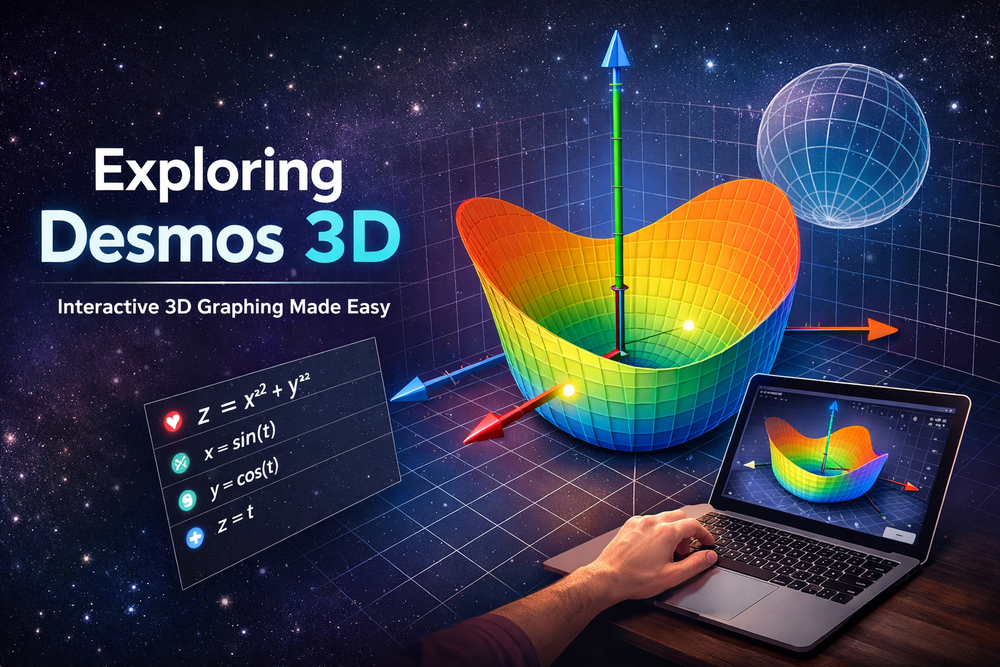
In the world of digital math tools, Desmos has long been a favorite for students and educators alike — thanks to its intuitive interface, real-time graphing, and free access. But now, Desmos has pushed the boundary further with its 3D Graphing Calculator, bringing mathematical imagination into a full three-dimensional space.
What is Desmos 3D?
At its core, Desmos 3D is an extension of the classic 2D graphing calculator into the three-dimensional world. Instead of plotting curves on an xy plane, users can now explore surfaces and shapes defined in terms of x, y, and z. Whether it’s plotting points like (2,3,1)(2, 3, 1)(2,3,1), visualizing planes like z=x+y, or rendering more complex surfaces, Desmos 3D makes it interactive, visual, and fun.
Why It Matters for Learning
Desmos 3D transforms abstract mathematical concepts into tangible visual models. This matters because:
- Visual learners can see equations come to life.
- Students can rotate and zoom models, gaining spatial intuition.
- Teachers can use it to explain concepts like surfaces, intersections, and parametrics with real-time manipulation.
The interface borrows the familiar expression input from Desmos 2D — type equations on the left, see results instantly on a 3D cube on the right. Click and drag to spin the graph, zoom to inspect details, or reset orientation with a tap.
From 2D to 3D — Smooth Transition
What makes Desmos 3D especially clever is how it bridges students’ 2D intuition with 3D exploration. If you enter an equation involving only x and y, the tool lets you extend it into a surface for all z— effectively turning a familiar 2D graph into a 3D shape with a click of a checkbox.
This feature helps learners see the bigger picture — literally and figuratively.
Powerful Yet Accessible
One of Desmos’s biggest strengths has always been accessibility. Desmos 3D continues this tradition:
- It’s free and web-based — no downloads, no licenses.
- Works on almost any modern browser.
- Designed with a clean UI that doesn’t overwhelm beginners.
Educators can also tap into pre-built 3D examples or build their own explorations and share them with students — a powerful entry point into STEM classrooms.
Where Desmos 3D Fits in the Math Toolbox
While Desmos 3D may not replace advanced CAD or specialized mathematical software, it fills a unique educational niche. Its emphasis on clarity and interactivity makes it ideal for:
- High school and early college math courses.
- Students first encountering multivariable functions.
- Anyone curious about geometry, surfaces, and 3D visualization.
It proves that complex ideas can be approachable, and that math — even in three dimensions — doesn’t have to be intimidating.


